Troubleshooting
Tested solutions for common hardware wallet problems. Connection issues, firmware update failures, and sync problems across all major brands.
Hardware wallets are reliable devices, but connection issues, firmware update failures, and sync problems do happen. These guides provide tested solutions — not copy-pasted forum advice — for the most common issues across all major brands.
Each troubleshooting guide follows a structured approach: identify the exact problem, check the most likely causes first, then walk through the fix step by step. We include specific instructions for each wallet brand where the process differs.
If your issue involves a potential security concern (like a tampered device or suspicious firmware), check our security guides first — some "problems" are actually warning signs that shouldn't be bypassed.
Start Here: Essential Troubleshooting Guides
New to troubleshooting? Begin with these foundational guides
Wallet Shows Wrong Balance
Balance showing zero or incorrect amount? Don't panic — here's why it happens and how to fix it.
Firmware Update Failed — How to Fix
Firmware update stuck or failed? Don't worry — your crypto is safe. Here's how to recover.
Hardware Wallet Not Connecting
Wallet not recognized by your computer? Here are the most common fixes for connection issues.
Trezor Not Recognized by Computer
Computer not detecting your Trezor? Here's how to fix USB, bridge, and driver issues.
Wallets That Defend Against These Threats
Reading about threats is step one. Step two is choosing a wallet built to handle them.
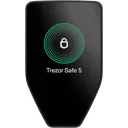
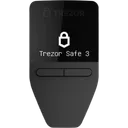
We may earn a commission if you buy through our links. This never affects our ratings.
Browse All Troubleshooting Content
Explore 5 guides curated for troubleshooting
Wallet Shows Wrong Balance
beginnerBalance showing zero or incorrect amount? Don't panic — here's why it happens and how to fix it.
Firmware Update Failed — How to Fix
intermediateFirmware update stuck or failed? Don't worry — your crypto is safe. Here's how to recover.
Hardware Wallet Not Connecting
beginnerWallet not recognized by your computer? Here are the most common fixes for connection issues.
Trezor Not Recognized by Computer
beginnerComputer not detecting your Trezor? Here's how to fix USB, bridge, and driver issues.
Ledger Live Not Working
beginnerLedger Live crashing, not syncing, or showing errors? Step-by-step solutions for common problems.
Explore Other Topics
Complement your security knowledge with these related categories
Threat Models
Learn about different crypto wallet threat models and security risks.
Basics
Learn the fundamentals of crypto wallets and how they work.
Security
Learn how to protect your crypto assets and data.
How We Work
Transparency is our foundation. Here's how we build our Troubleshooting recommendations.
Every Wallet Tested
We test every wallet we review — no pay-for-play listings.
Self-Custody Only
We only review self-custody wallets. Your keys, your crypto.
Documented Attack Vectors
Guides based on real, documented attack vectors — not hypotheticals.
Ratings Recalculated on Change
All ratings update when wallet specs change. See our open methodology.
Frequently Asked Questions
Common questions about Troubleshooting and hardware wallet security
My hardware wallet is not connecting to my computer — what should I try?
My hardware wallet firmware update failed — is my crypto safe?
My wallet shows the wrong balance — what is happening?
Ledger Live or Trezor Suite is not recognizing my device — how to fix?
Not sure which wallet fits your threat model?
Answer a few questions and get a personalized recommendation based on your security needs and budget.