Transactions
Step-by-step guides for sending and receiving crypto with a hardware wallet. Address verification, fees, and blind signing risks explained.
Sending and receiving crypto through a hardware wallet adds an extra layer of security — but also an extra step you need to understand. These guides walk you through the full transaction process, from address verification to fee selection.
We cover the critical habits that prevent costly mistakes: always verifying addresses on your device screen (not just your computer), understanding what "blind signing" means and when it's risky, and how to handle different network types and token standards.
Each guide includes specific instructions for major wallet brands and common blockchain networks, so you can follow along with your actual setup.
Start Here: Essential Transactions Guides
New to transactions? Begin with these foundational guides
Why Is My Transaction Pending?
Transaction stuck? Here's why crypto transactions get delayed and what you can do about it.
How to Receive Crypto Correctly
Getting paid in crypto? Here's how to receive cryptocurrency safely and avoid common mistakes.
How to Speed Up a Crypto Transaction
Transaction taking too long? Learn how to speed up Bitcoin, Ethereum, and other crypto transactions.
What Is a Transaction Fee?
Every crypto transaction has a fee. Learn how fees work, why they vary, and how to pay less.
Wallets That Defend Against These Threats
Reading about threats is step one. Step two is choosing a wallet built to handle them.
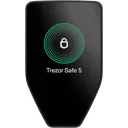

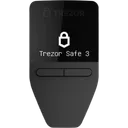
We may earn a commission if you buy through our links. This never affects our ratings.
Browse All Transactions Content
Explore 5 guides curated for transactions
Why Is My Transaction Pending?
beginnerTransaction stuck? Here's why crypto transactions get delayed and what you can do about it.
How to Receive Crypto Correctly
beginnerGetting paid in crypto? Here's how to receive cryptocurrency safely and avoid common mistakes.
How to Speed Up a Crypto Transaction
intermediateTransaction taking too long? Learn how to speed up Bitcoin, Ethereum, and other crypto transactions.
What Is a Transaction Fee?
beginnerEvery crypto transaction has a fee. Learn how fees work, why they vary, and how to pay less.
How to Send Crypto Safely
beginnerSending crypto can be scary — one wrong address and funds are gone forever. Follow this guide to send safely.
Explore Other Topics
Complement your security knowledge with these related categories
Threat Models
Learn about different crypto wallet threat models and security risks.
Basics
Learn the fundamentals of crypto wallets and how they work.
Security
Learn how to protect your crypto assets and data.
How We Work
Transparency is our foundation. Here's how we build our Transactions recommendations.
Every Wallet Tested
We test every wallet we review — no pay-for-play listings.
Self-Custody Only
We only review self-custody wallets. Your keys, your crypto.
Documented Attack Vectors
Guides based on real, documented attack vectors — not hypotheticals.
Ratings Recalculated on Change
All ratings update when wallet specs change. See our open methodology.
Frequently Asked Questions
Common questions about Transactions and hardware wallet security
How do I verify a crypto address before sending?
What is blind signing and why is it dangerous?
Why is my crypto transaction stuck or pending?
How do crypto transaction fees work?
Not sure which wallet fits your threat model?
Answer a few questions and get a personalized recommendation based on your security needs and budget.