Security
Step-by-step security guides for hardware wallet users. PIN setup, passphrase configuration, firmware updates, and operational security. Learn how to implement the defenses — for threat identification, see our Threat Models category.
Owning a hardware wallet is step one. Configuring it correctly is where real security starts. These guides walk you through practical security setup — from initial PIN configuration to advanced passphrase protection — based on hands-on testing of every device we review.
We focus on actionable steps, not theory. Each guide includes specific instructions for major wallet brands (Ledger, Trezor, Keystone, and others), so you can follow along with your actual device.
Not sure which threats you're defending against? Start with our threat model guides first — they'll help you decide which security measures are worth your time based on your specific situation. Then come back here for step-by-step implementation.
Start Here: Essential Security Guides
New to security? Begin with these foundational guides
How to Store Crypto Safely
The complete guide to crypto storage security. From exchange risks to cold storage best practices — protect your assets.
Moving Countries: Relocating Your Crypto Setup
Relocating internationally? How to move your crypto setup across borders legally and securely without losing access.
Fire and Flood Proofing Your Seed Phrase Backup
Paper burns. Metal survives. Compare steel seed phrase backups and storage solutions that withstand fire and water damage.
Natural Disaster Preparedness for Crypto Holdings
Fires, floods, earthquakes — how to ensure your crypto survives when your home does not. Geographic backup strategies.
Wallets That Defend Against These Threats
Reading about threats is step one. Step two is choosing a wallet built to handle them.
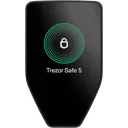
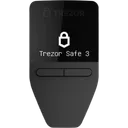
We may earn a commission if you buy through our links. This never affects our ratings.
Browse All Security Content
Explore 15 guides curated for security
How to Store Crypto Safely
beginnerThe complete guide to crypto storage security. From exchange risks to cold storage best practices — protect your assets.
Moving Countries: Relocating Your Crypto Setup
intermediateRelocating internationally? How to move your crypto setup across borders legally and securely without losing access.
Fire and Flood Proofing Your Seed Phrase Backup
beginnerPaper burns. Metal survives. Compare steel seed phrase backups and storage solutions that withstand fire and water damage.
Natural Disaster Preparedness for Crypto Holdings
intermediateFires, floods, earthquakes — how to ensure your crypto survives when your home does not. Geographic backup strategies.
Digital Nomad Crypto Security: Threat Model for Constant Travel
intermediateWorking from coworking spaces, cafes, and hotels. The unique threats facing digital nomads managing crypto on the move.
Blind Signing Risks — Why You Should Avoid It
intermediateBlind signing means approving a transaction you can't verify. It's one of the biggest risks in DeFi.
Showing 6 of 15 articles
Explore Other Topics
Complement your security knowledge with these related categories
Threat Models
Learn about different crypto wallet threat models and security risks.
Basics
Learn the fundamentals of crypto wallets and how they work.
Hardware Wallets
Learn about secure, offline storage for your crypto assets.
How We Work
Transparency is our foundation. Here's how we build our Security recommendations.
Every Wallet Tested
We test every wallet we review — no pay-for-play listings.
Self-Custody Only
We only review self-custody wallets. Your keys, your crypto.
Documented Attack Vectors
Guides based on real, documented attack vectors — not hypotheticals.
Ratings Recalculated on Change
All ratings update when wallet specs change. See our open methodology.
Frequently Asked Questions
Common questions about Security and hardware wallet security
How do I set up a hardware wallet securely for the first time?
Do I need a passphrase in addition to my seed phrase?
How often should I update my hardware wallet firmware?
Is my hardware wallet safe if my computer has malware?
Not sure which wallet fits your threat model?
Answer a few questions and get a personalized recommendation based on your security needs and budget.