Advanced
Advanced hardware wallet guides for experienced users. Multi-signature setups, air-gapped signing workflows, and enterprise-grade configurations.
These guides are for users who've mastered the basics and want to push their security further. We cover multi-signature setups, air-gapped signing workflows, custom derivation paths, and configurations that go beyond default wallet settings.
Advanced doesn't mean theoretical. Every technique is tested on real hardware, with specific instructions for supported devices. We note which wallets support each feature natively and which require workarounds.
Prerequisites: you should be comfortable with basic hardware wallet operations and understand your threat model before diving in. If terms like "derivation path" or "PSBT" are unfamiliar, start with our basics and security guides first.
Start Here: Essential Advanced Guides
New to advanced? Begin with these foundational guides
Using Hardware Wallet with DeFi
Use DeFi protocols while keeping funds on your hardware wallet. Best of both worlds.
Using Hardware Wallet with MetaMask
Combine MetaMask convenience with hardware wallet security. Here's how to connect them.
Air-Gapped Wallets Explained
Air-gapped wallets never connect to the internet. Ultimate security through complete isolation.
What Is a Multi-Signature Wallet?
Multi-sig wallets require multiple keys to authorize transactions. Maximum security for serious holders.
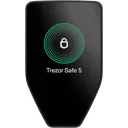
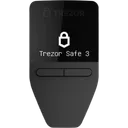
Wallets That Defend Against These Threats
Reading about threats is step one. Step two is choosing a wallet built to handle them.
We may earn a commission if you buy through our links. This never affects our ratings.
Browse All Advanced Content
Explore 6 guides curated for advanced
Using Hardware Wallet with DeFi
intermediateUse DeFi protocols while keeping funds on your hardware wallet. Best of both worlds.
Using Hardware Wallet with MetaMask
intermediateCombine MetaMask convenience with hardware wallet security. Here's how to connect them.
Air-Gapped Wallets Explained
advancedAir-gapped wallets never connect to the internet. Ultimate security through complete isolation.
What Is a Multi-Signature Wallet?
advancedMulti-sig wallets require multiple keys to authorize transactions. Maximum security for serious holders.
Open-Source vs Closed-Source Wallets
advancedDoes open-source mean more secure? We examine the transparency debate in hardware wallets.
Hardware Wallets for Staking
intermediateEarn staking rewards while keeping assets secure on your hardware wallet. Here's how it works.
Explore Other Topics
Complement your security knowledge with these related categories
Threat Models
Learn about different crypto wallet threat models and security risks.
Basics
Learn the fundamentals of crypto wallets and how they work.
Security
Learn how to protect your crypto assets and data.
How We Work
Transparency is our foundation. Here's how we build our Advanced recommendations.
Every Wallet Tested
We test every wallet we review — no pay-for-play listings.
Self-Custody Only
We only review self-custody wallets. Your keys, your crypto.
Documented Attack Vectors
Guides based on real, documented attack vectors — not hypotheticals.
Ratings Recalculated on Change
All ratings update when wallet specs change. See our open methodology.
Frequently Asked Questions
Common questions about Advanced and hardware wallet security
What is a multi-signature wallet and when do I need one?
How does air-gapped transaction signing work?
Can I use a hardware wallet with DeFi protocols?
What is the difference between open-source and closed-source wallet firmware?
Not sure which wallet fits your threat model?
Answer a few questions and get a personalized recommendation based on your security needs and budget.