Trezor Safe 7 vs OneKey Pro
Trezor Safe 7 stands out with open-source code, advanced privacy features, Shamir Backup. OneKey Pro is a solid alternative — Trezor Safe 7 costs $29 less.
Key Takeaways
- Security scores are close (within 0 points)
- Usability scores are close (within 0 points)
- Trezor Safe 7 is more affordable ($249)
- Both support 40+ cryptocurrencies
- Best for beginners: Trezor Safe 7 (easier setup)
Trezor Safe 7 vs OneKey Pro: Key Differences
In this head-to-head comparison, we analyze Trezor Safe 7 and OneKey Pro across 40+ criteria including security architecture, cryptocurrency support, backup methods, and real-world usability. Trezor Safe 7 is a Trezor device rated 90/100, while OneKey Pro from OneKey scores 91/100. At $249 vs $278, the $29 price gap reflects different approaches to hardware wallet design.
Expand This Comparison:
Winner by Category
Which wallet leads in each area
Comparison Table
Key specifications for your decision
| Criteria | ||
|---|---|---|
Overall Rating | 90/100 | 91/100 |
Security | 100/100 | 100/100 |
Usability | 79/100 | 79/100 |
Price | $249 | $278 |
EAL Certification (Evaluation Assurance Level) from Common Criteria rates the security of hardware components, like secure chips in crypto hardware wallets. Higher levels, such as EAL5+ or EAL6+, indicate stronger resistance to attacks. Learn more | Yes | Yes |
Open Source Firmware refers to firmware in hardware devices, like wallets, where the source code is publicly available, allowing transparency, auditability, and customization. Learn more | Yes | Yes |
Bluetooth Connectivity enables wireless communication between devices, like hardware wallets and smartphones, using Bluetooth or Bluetooth Low Energy (BLE) for secure data transfer. Learn more | Yes | No |
USB | Yes | Yes |
Networks | 87+ | 40+ |
A passphrase is an additional security layer for cryptocurrency wallets, acting as a 25th word in the BIP39 seed phrase, protecting access to hidden wallets. Learn more | Yes | Yes |
A touchscreen display is a screen that allows users to interact with a device by touching the surface, commonly used in hardware wallets for easy navigation and transaction confirmation. Learn more | Color Touchscreen | Color IPS Touchscreen |
Recovery is the process of restoring access to a cryptocurrency wallet using its seed phrase or mnemonic backup if the original wallet is lost or inaccessible. Learn more | Multi-card | 24-word + Shamir |
Setup Time | ~5 min | ~7 min |
IP Rating refers to the level of protection a device has against dust and water, often used for hardware wallets to indicate their durability in various environments. Learn more | IP67 | None |
Our Verdict: Trezor Safe 7 or OneKey Pro?
Choose Trezor Safe 7 if...
- You prefer seedless backup via multiple linked cards
- You need a durable, IP67-rated waterproof device
Choose OneKey Pro if...
- You are comfortable managing a seed phrase
- You prefer USB-only connection for maximum security
Our pick for most users
Both wallets score similarly (90 vs 91/100) — your choice depends on which features matter most to you.
Bottom line: both wallets leads in security, while both wallets wins on usability. If budget matters, Trezor Safe 7 saves you money without compromising on core safety features.
Price: Trezor Safe 7 vs OneKey Pro
Trezor Safe 7 costs $249, while OneKey Pro is priced at $278 — a $29 difference. The extra cost of OneKey Pro gets you a 1-point higher overall rating. For budget buyers, Trezor Safe 7 offers solid security at a lower price point.
Who Should Pick Which Wallet
Recommendations based on real-world use cases
Trezor Safe 7
$249- +TROPIC01 open secure element allows full auditability, unlike closed SE chips
- +EAL6+ certified secure element, highest certification tier among consumer wallets
- +SLIP-39 Shamir Secret Sharing splits seed across multiple shares by default
- +2.5-inch color touchscreen is the largest display in its hardware wallet class
- −At $249, it is the most expensive Trezor model, nearly 3x the Trezor Model One
- −No NFC support, limiting tap-to-sign workflows available on competing devices
- −Bluetooth attack surface introduces wireless threat vectors absent in USB-only wallets
- −Multisig support is basic only, lacking advanced coordinator tooling on-device
OneKey Pro
$278- +CC EAL6+ secure element (ATECC608B) — highest certified SE tier available
- +4-inch color IPS touchscreen dwarfs most competitors' small displays
- +Fully open-source firmware with reproducible builds for independent auditing
- +Shamir Secret Sharing splits seed across multiple recovery shares
- −At $278, it is among the most expensive consumer hardware wallets available
- −No Bluetooth or NFC limits wireless connectivity options vs. competitors
- −No water resistance rating despite aluminum alloy construction
- −Battery dependency means device is inoperable when discharged
Best for These Profiles
Pre-Purchase Checklist
Important points to verify regardless of your choice
All wallets ship from official manufacturer stores with full warranty.
Trezor Safe 7 vs OneKey Pro: Frequently Asked Questions
Answers about Trezor Safe 7 vs OneKey Pro
Is Trezor Safe 7 better than OneKey Pro?
How much do Trezor Safe 7 and OneKey Pro cost?
What happens if I lose all my Trezor Safe 7 cards?
Is OneKey Pro waterproof?
Which wallet is better for DeFi and Web3: Trezor Safe 7 or OneKey Pro?
Trezor Safe 7 vs OneKey Pro: which has better backup options?
Where to buy Trezor Safe 7 at the best price?
Do Trezor Safe 7 and OneKey Pro come with a warranty?
Made your decision?
Check out full reviews or find the best price from official vendors.
We may earn a commission from purchases through affiliate links. This does not affect our ratings.
Not convinced? Consider these alternatives
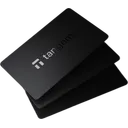
Tangem Wallet (3 Cards)
More Comparisons
Compare Trezor Safe 7 with other wallets