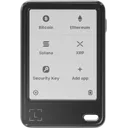
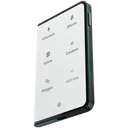
OneKey Pro vs Trezor Safe 5 vs Trezor Safe 7 vs Trezor Safe 3
Comparing 4 wallets: OneKey Pro (91/100, $278), Trezor Safe 5 (88/100, $129), and Trezor Safe 7 (90/100, $249), Trezor Safe 3 (81/100, $59). Prices range from $59 to $278.
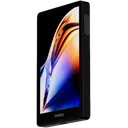
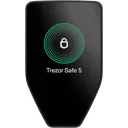
Key Takeaways
- Security scores are close (within 0 points)
- Trezor Safe 7 wins in ease of use (79/100)
- Trezor Safe 3 is more affordable ($59)
- Both support 40+ cryptocurrencies
- Best for beginners: Trezor Safe 3 (easier setup)
OneKey Pro vs Trezor Safe 5 vs Trezor Safe 7 vs Trezor Safe 3: Key Differences
This comparison evaluates 4 hardware wallets — OneKey Pro vs Trezor Safe 5 vs Trezor Safe 7 vs Trezor Safe 3 — across 40+ criteria. Prices range from $59 to $278, and overall ratings span 81 to 91 out of 100. Below, we break down exactly where each wallet excels and where it falls short.
Winner by Category
Which wallet leads in each area
Comparison Table
Key specifications for your decision
| Criteria | ||||
|---|---|---|---|---|
Overall Rating | 91/100 | 88/100 | 90/100 | 81/100 |
Security | 100/100 | 100/100 | 100/100 | 100/100 |
Usability | 79/100 | 71/100 | 79/100 | 60/100 |
Price | $278 | $129 | $249 | $59 |
EAL Certification (Evaluation Assurance Level) from Common Criteria rates the security of hardware components, like secure chips in crypto hardware wallets. Higher levels, such as EAL5+ or EAL6+, indicate stronger resistance to attacks. Learn more | Yes | Yes | Yes | Yes |
Open Source Firmware refers to firmware in hardware devices, like wallets, where the source code is publicly available, allowing transparency, auditability, and customization. Learn more | Yes | Yes | Yes | Yes |
Bluetooth Connectivity enables wireless communication between devices, like hardware wallets and smartphones, using Bluetooth or Bluetooth Low Energy (BLE) for secure data transfer. Learn more | No | No | Yes | No |
USB | Yes | Yes | Yes | Yes |
Networks | 40+ | 87+ | 87+ | 87+ |
A passphrase is an additional security layer for cryptocurrency wallets, acting as a 25th word in the BIP39 seed phrase, protecting access to hidden wallets. Learn more | Yes | Yes | Yes | Yes |
A touchscreen display is a screen that allows users to interact with a device by touching the surface, commonly used in hardware wallets for easy navigation and transaction confirmation. Learn more | Color IPS Touchscreen | Color Touchscreen | Color Touchscreen | OLED |
Recovery is the process of restoring access to a cryptocurrency wallet using its seed phrase or mnemonic backup if the original wallet is lost or inaccessible. Learn more | 24-word + Shamir | 20-word + Shamir | Multi-card | 20-word + Shamir |
Setup Time | ~7 min | ~15 min | ~5 min | ~5 min |
IP Rating refers to the level of protection a device has against dust and water, often used for hardware wallets to indicate their durability in various environments. Learn more | None | None | IP67 | None |
Our Verdict: OneKey Pro vs Trezor Safe 5 vs Trezor Safe 7 vs Trezor Safe 3
Choose OneKey Pro if...
- You are comfortable managing a seed phrase
- You prefer USB-only connection for maximum security
Choose Trezor Safe 5 if...
- You are comfortable managing a seed phrase
- You prefer USB-only connection for maximum security
Choose Trezor Safe 7 if...
- You prefer seedless backup via multiple linked cards
- You need a durable, IP67-rated waterproof device
Choose Trezor Safe 3 if...
- You are comfortable managing a seed phrase
- You prefer USB-only connection for maximum security
- You want to save $70 without sacrificing core security
Our pick for most users
Both wallets score similarly (91 vs 88/100) — your choice depends on which features matter most to you.
Bottom line: both wallets leads in security, while Trezor Safe 7 wins on usability. If budget matters, Trezor Safe 3 saves you money without compromising on core safety features.
Price: OneKey Pro vs Trezor Safe 5 vs Trezor Safe 7 vs Trezor Safe 3
Prices range from $59 (Trezor Safe 3) to $278 (OneKey Pro). The extra cost of OneKey Pro gets you a 10-point higher overall rating. For budget buyers, Trezor Safe 3 offers solid security at a lower price point.
Who Should Pick Which Wallet
Recommendations based on real-world use cases
OneKey Pro
$278- +CC EAL6+ secure element (ATECC608B) — highest certified SE tier available
- +4-inch color IPS touchscreen dwarfs most competitors' small displays
- +Fully open-source firmware with reproducible builds for independent auditing
- +Shamir Secret Sharing splits seed across multiple recovery shares
- −At $278, it is among the most expensive consumer hardware wallets available
- −No Bluetooth or NFC limits wireless connectivity options vs. competitors
- −No water resistance rating despite aluminum alloy construction
- −Battery dependency means device is inoperable when discharged
Trezor Safe 5
$129- +EAL6+ certified secure element — highest SE rating among consumer hardware wallets
- +Fully open-source firmware with reproducible builds, independently verifiable by anyone
- +Shamir Secret Sharing splits seed across up to 16 shares for distributed backup
- +20-word custom seed format (SLIP39) reduces single-point-of-failure vs standard 24-word BIP39
- −No Bluetooth or NFC — USB-only connectivity limits mobile use to Android via USB-OTG
- −No iOS compatibility; iPhone users are entirely locked out without third-party workarounds
- −PMMA (acrylic) housing is less impact-resistant than polycarbonate used by some rivals
- −No water or dust resistance rating, unlike some competing devices at similar price points
Trezor Safe 7
$249- +TROPIC01 open secure element allows full auditability, unlike closed SE chips
- +EAL6+ certified secure element, highest certification tier among consumer wallets
- +SLIP-39 Shamir Secret Sharing splits seed across multiple shares by default
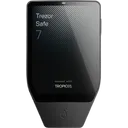
- +2.5-inch color touchscreen is the largest display in its hardware wallet class
- −At $249, it is the most expensive Trezor model, nearly 3x the Trezor Model One
- −No NFC support, limiting tap-to-sign workflows available on competing devices
- −Bluetooth attack surface introduces wireless threat vectors absent in USB-only wallets
- −Multisig support is basic only, lacking advanced coordinator tooling on-device
Trezor Safe 3
$59- +EAL6+ certified secure element isolates private keys from the main MCU
- +Fully open-source firmware with reproducible builds — independently verifiable
- +SLIP39 Shamir Secret Sharing splits seed into up to 16 shares for redundant recovery
- +Supports both BIP39 and SLIP39 recovery standards, more flexibility than most rivals
- −No Bluetooth or NFC — requires physical USB cable for every transaction
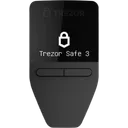
- −0.96-inch OLED screen is among the smallest in its price tier, limiting readability
- −Secure element chip manufacturer is undisclosed, limiting full hardware auditability
- −No iOS compatibility, excluding roughly half of mobile users
Best for These Profiles
Pre-Purchase Checklist
Important points to verify regardless of your choice
All wallets ship from official manufacturer stores with full warranty.
OneKey Pro vs Trezor Safe 5 vs Trezor Safe 7 vs Trezor Safe 3: Frequently Asked Questions
Answers about OneKey Pro vs Trezor Safe 5 vs Trezor Safe 7 vs Trezor Safe 3
Is OneKey Pro better than Trezor Safe 5?
How much do OneKey Pro and Trezor Safe 5 and Trezor Safe 7 and Trezor Safe 3 cost?
Can Trezor Safe 5 be used on iPhone (iOS)?
What happens if I lose all my Trezor Safe 7 cards?
Is OneKey Pro waterproof?
Which wallet is better for DeFi and Web3: OneKey Pro or Trezor Safe 5?
Where to buy OneKey Pro at the best price?
Do OneKey Pro and Trezor Safe 5 come with a warranty?
Made your decision?
Check out full reviews or find the best price from official vendors.
We may earn a commission from purchases through affiliate links. This does not affect our ratings.
Not convinced? Consider these alternatives
Tangem Wallet (3 Cards)
More Comparisons
Compare OneKey Pro with other wallets